Quick add in Beyond
Edit theme → Theme settings → Quick add.
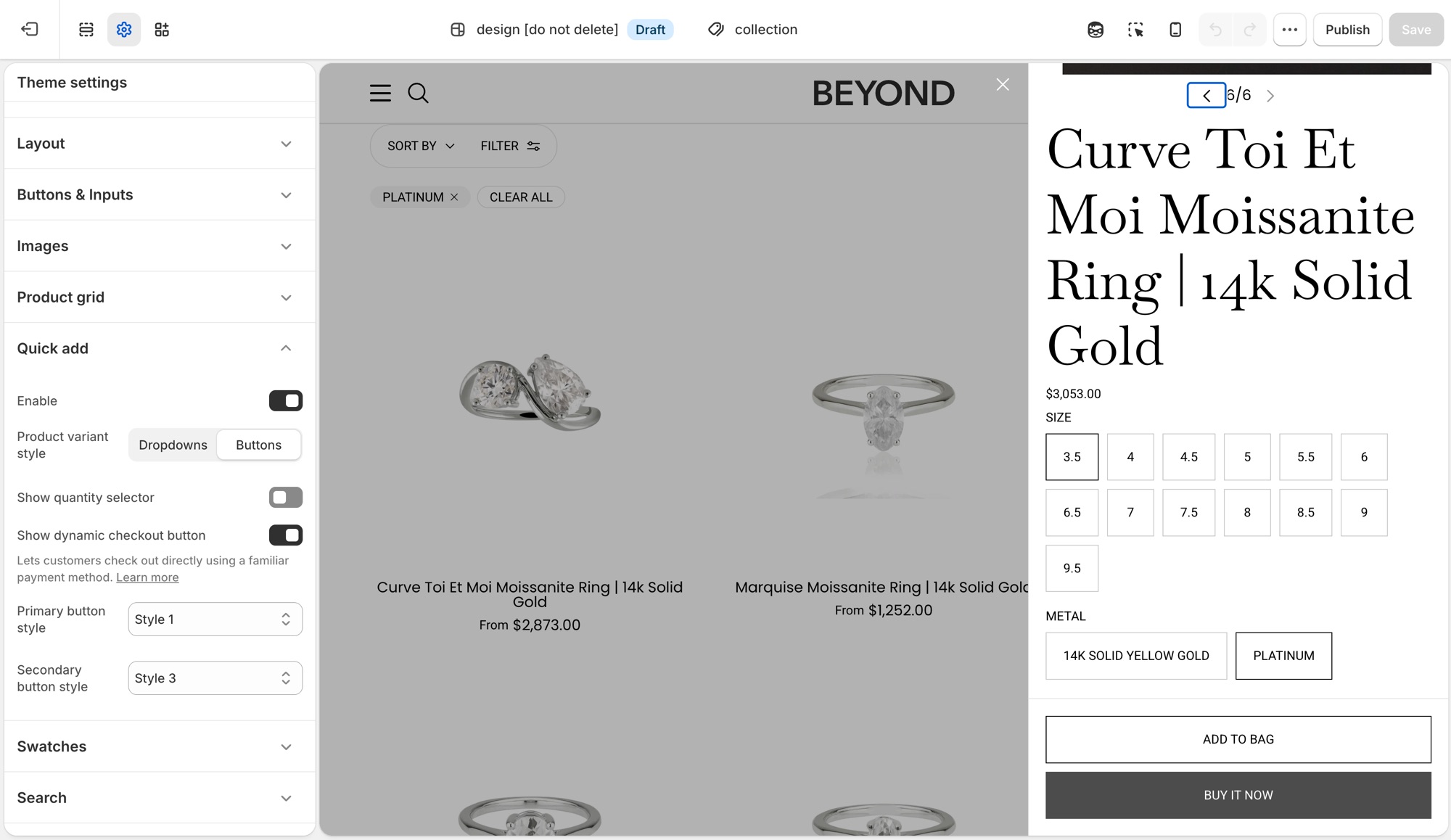
Quick add is the + button that appears on product cards in the grid. Hover (or tap) it to add the product to cart without leaving the collection page.
Theme settings → Quick add
- Enable: turns the button on or off storewide.
- Product variant style: Dropdowns or Buttons for choosing options in the quick add form.
- Show quantity selector: adds a quantity stepper to the quick add form.
- Show dynamic checkout button: adds a payment-method shortcut (Shop Pay, PayPal, and similar) next to the regular checkout option. See Shopify's dynamic checkout guide.
- Primary button style and Secondary button style: pick from your four button styles (Buttons and inputs). Secondary only shows when Show dynamic checkout button is on.
The button label reads Quick add for a product with one variant, or Choose options when the customer needs to pick a variant first.
On the product card
Quick add only appears for products that are in stock. A sold-out product's card has no button at all. This is expected behavior, not a setting to change.
Troubleshooting
- No button on the card: the product is sold out, or Enable is off in Theme settings → Quick add.
- Button says "Choose options" instead of "Quick add": the product has more than one variant. That is automatic, not a setting.
- No secondary button in the form: Show dynamic checkout button is off, or the store has no dynamic checkout methods configured.
- Checkout is unchanged: expected. Checkout is not the theme.