Animations in Beyond
Edit theme → Theme settings → Animations.
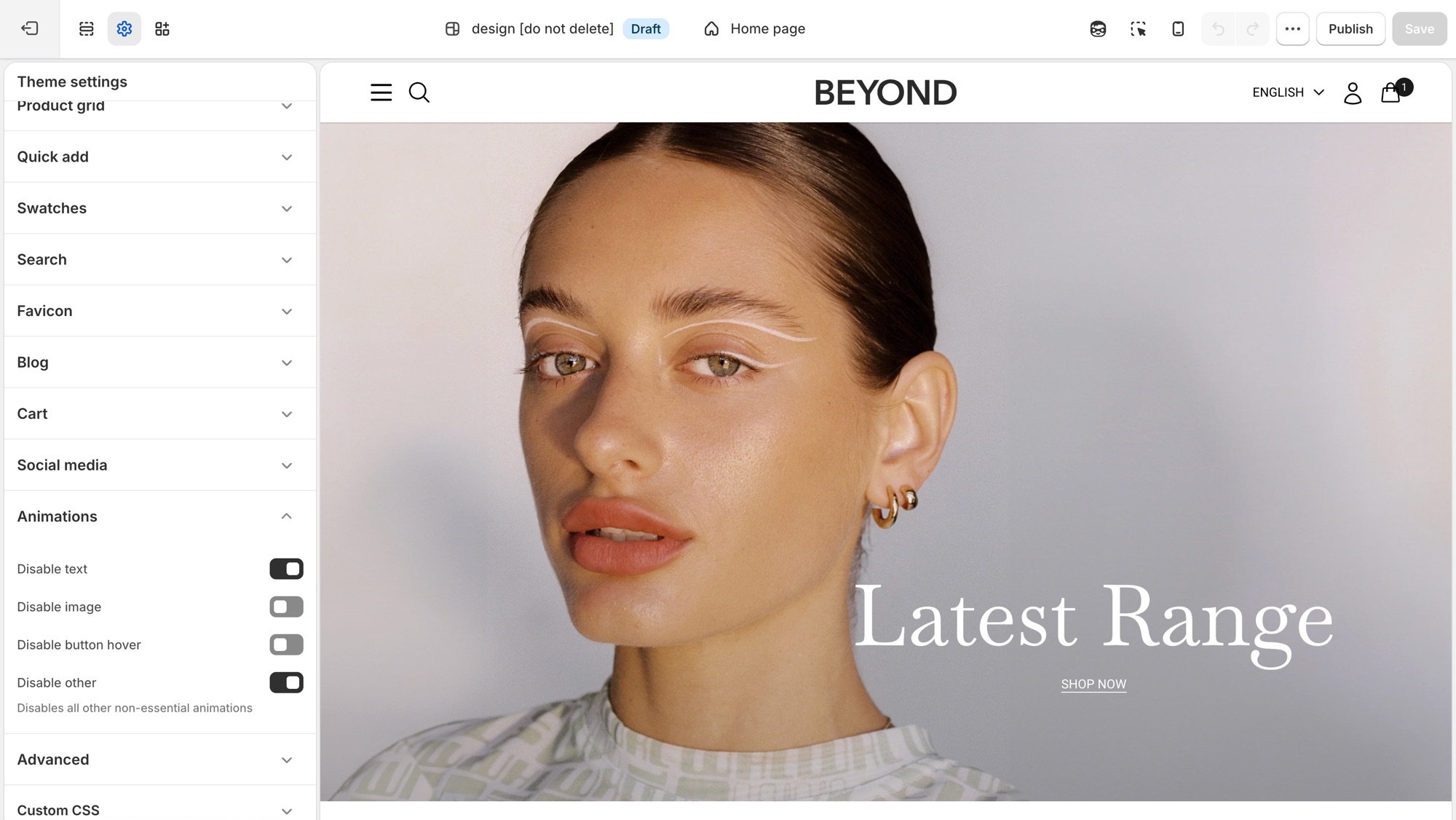
Four storewide switches, each one turns a category of motion off. There is nothing to turn on, animations ship on by default.
Theme settings → Animations
- Disable text: turns off text fade and reveal animations.
- Disable image: turns off image fade and reveal animations.
- Disable button hover: turns off button hover transitions.
- Disable other: turns off all other non-essential animation, a catch-all for anything the first three do not cover.
Where each toggle applies
- Disable text: the scroll-triggered fade/slide-in on headings, subheadings, text, buttons, and rich text, used in nearly every section, plus the animated stacked headline component where a section uses one.
- Disable image: the fade-in on section images, for example Image with text, Media with highlight, Shop the banner, Scrolling text on image, Grid with overlay, Featured collections, the collection banner, and menu images.
- Disable button hover: a single storewide switch. It is not checked per section, so it turns off hover transitions on every button, input, and link at once.
- Disable other: the widest switch, covering things that are not simple text or image reveals: product card image hover-swap and the shared transition into the product page, the cart drawer, predictive search results, dropdown/mega menus, accordions, grid reveals on collection/blog/search listing pages, and sections like Testimonials.
Troubleshooting
- A section still animates after I disabled text or image: that motion may fall under Disable other instead, for example a slideshow transition or a decorative loop. Turn that on too.
- I want most animation off but kept hover effects: leave Disable button hover off and enable the other three.