Cart in Blockshop
Edit theme → Theme settings → Cart.
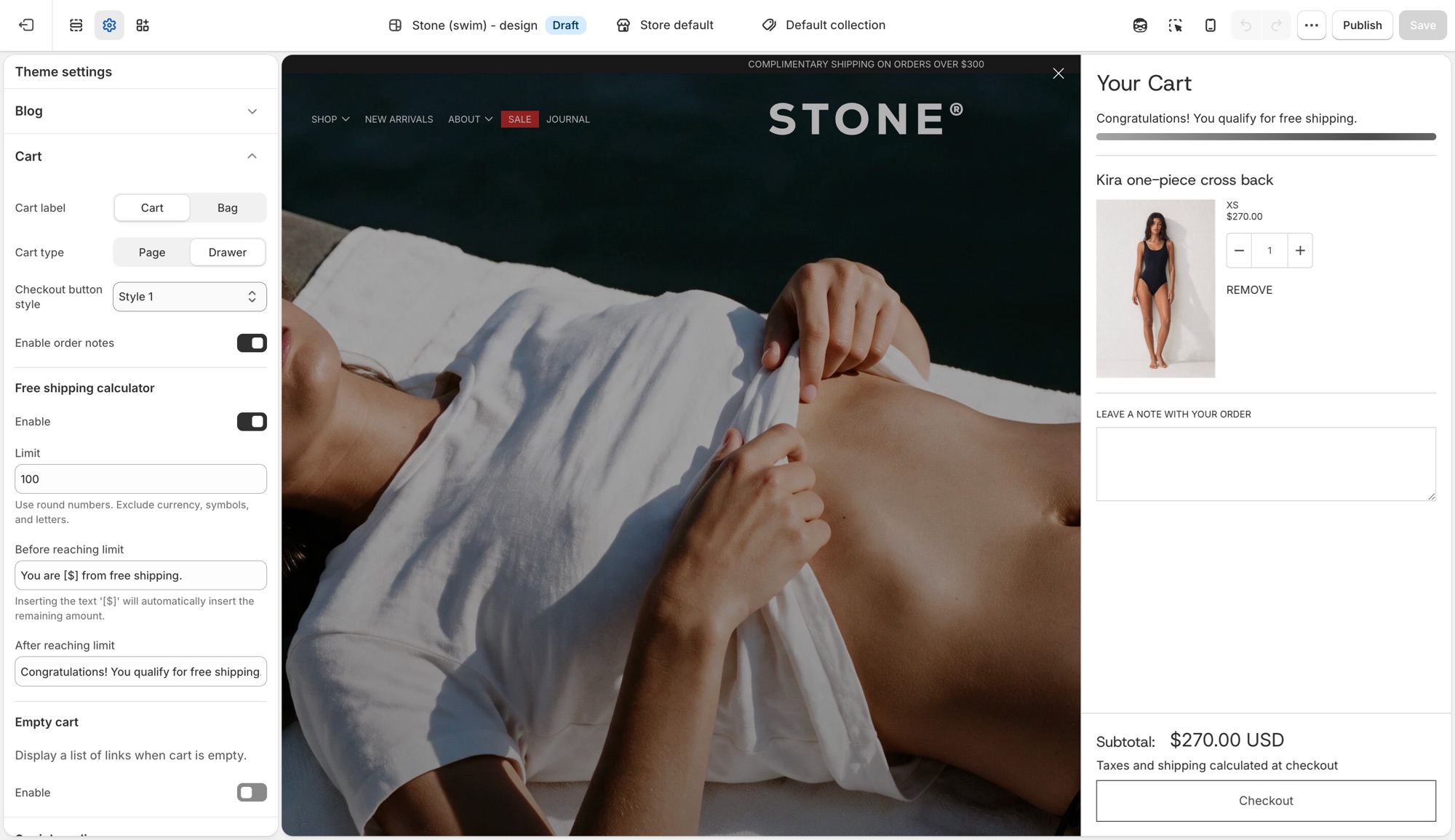
Theme settings → Cart
- Cart label: Cart or Bag, the icon and wording used for the cart trigger throughout the theme.
- Cart type: Page sends customers to a dedicated cart page. Drawer opens the cart in a slide-out panel without leaving the page.
- Checkout button style: pick from your four button styles (Buttons, inputs, and links) for the cart's checkout button specifically.
- Enable order notes: adds a note field to the cart so customers can leave instructions. See Shopify's order notes guide for how this differs from cart attributes and line item properties.
Free shipping calculator
- Enable: turns the progress message on or off.
- Limit: the order subtotal that qualifies for free shipping. Numbers only, no currency symbol.
- Before reaching limit: message shown while under the limit. Insert
[$]to show the remaining amount automatically. - After reaching limit: message shown once the customer qualifies.
This calculator is a message only, it does not create or apply a shipping discount. Set up the matching rate in Settings → Shipping and delivery; see Shopify's setting up shipping rates guide for how to configure a free-shipping rate that actually applies at checkout.
Empty cart
- Enable: shows a list of links when the cart has nothing in it.
- Custom link list: which menu to show. Dropdown items in that menu do not appear, top-level links only.
Troubleshooting
- Cart opens as a drawer when I wanted a page (or the reverse): Cart type in Theme settings → Cart.
- Free shipping message shows the wrong amount, or shows for everyone: check Limit. It is a plain number, no currency symbol or letters.
- Customers reached the limit but nothing changed at checkout: this is expected. The free shipping bar is a message only. Create the actual free shipping rate in Settings → Shipping and delivery.
- Empty cart shows the wrong links: the assigned menu has the wrong links, or has dropdown items that are not appearing (expected, only top-level links show).
- Checkout is unchanged: expected. Checkout is not the theme.