Search in Blockshop
Edit theme → Theme settings → Search.
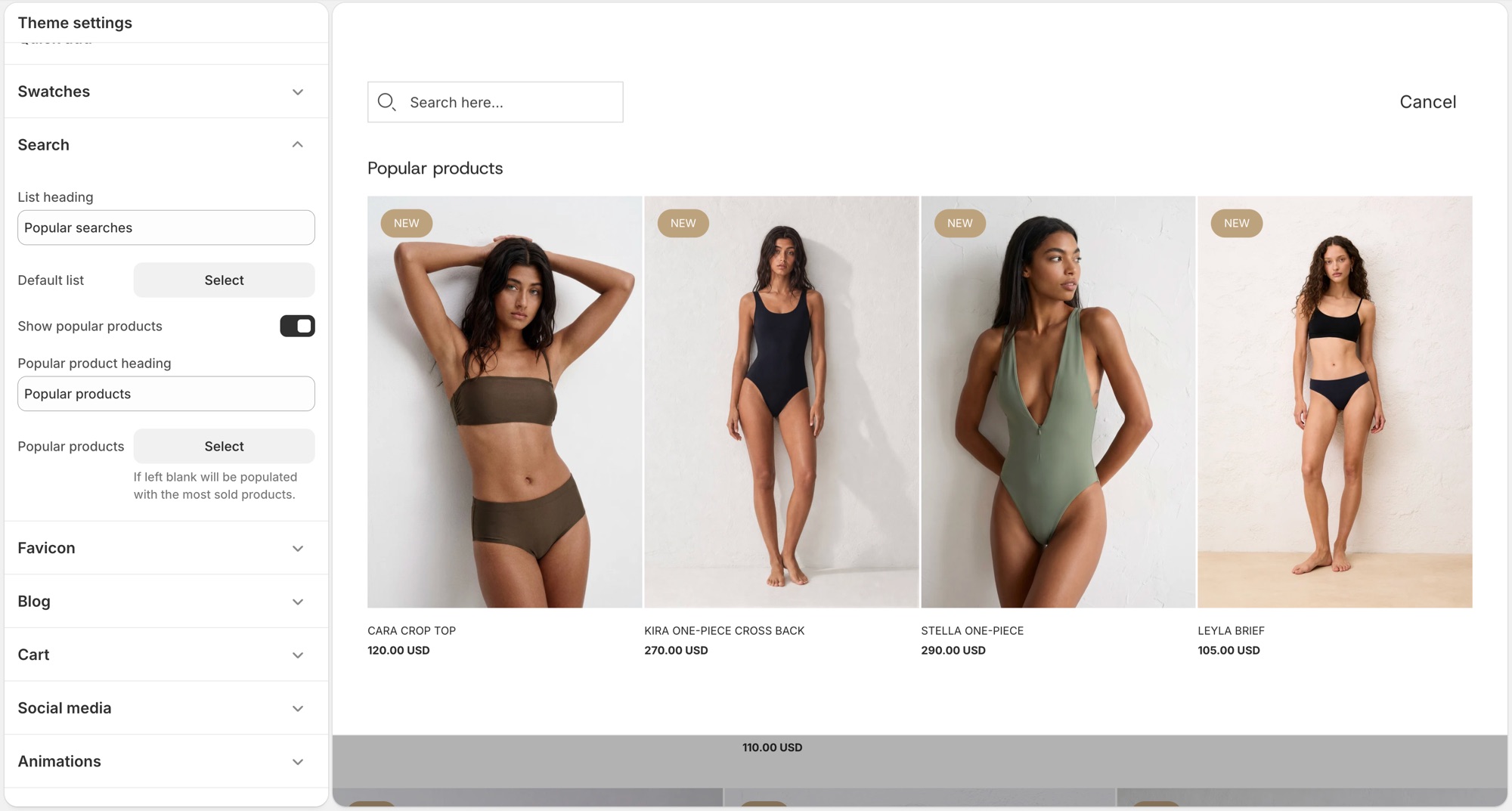
These settings control Shopify's predictive search panel that opens as a customer types in the header search, not the full search results page layout.
Theme settings → Search
- List heading: label above the default suggestion list, for example "Popular searches."
- Default list: a menu of links shown before the customer types anything.
- Show popular products: turns on a product suggestions block in the empty search state.
- Popular product heading: label above that block, for example "Popular products."
- Popular products: up to 4 products to feature there. Leave it blank and the theme fills it with your best-selling products automatically.
Troubleshooting
- Popular products showing products I did not pick: the Popular products field is empty, the theme is filling it with best sellers. Add products there to override it.
- Nothing shows before I type: Default list has no menu assigned, or that menu has no links.
- Search results page looks wrong: that is a separate template (Edit theme → template selector → Search), not this settings group.