Add an out of stock notification form in Maker
The theme can show a “notify me” form on sold-out variants. Submissions email your store’s Sender email. The theme does not watch inventory or auto-send “back in stock” mail to the shopper.
This is Shopify’s contact form: it emails you. It does not create a customer in Customers, and it does not start a waitlist.
Who owns this
- Show the form on the product page: theme (the block below)
- Sold-out vs available: Shopify Products inventory
- Where the request lands: Settings → Notifications → Sender email
- Email the shopper when stock returns: a back in stock app
Show the form
Edit theme → product template (Default product) or Featured product → Add block → Unavailable form. If the block is already in the section, click the eye icon to show it.
Click the block to expand its settings. Preview a sold-out variant or the form stays hidden.
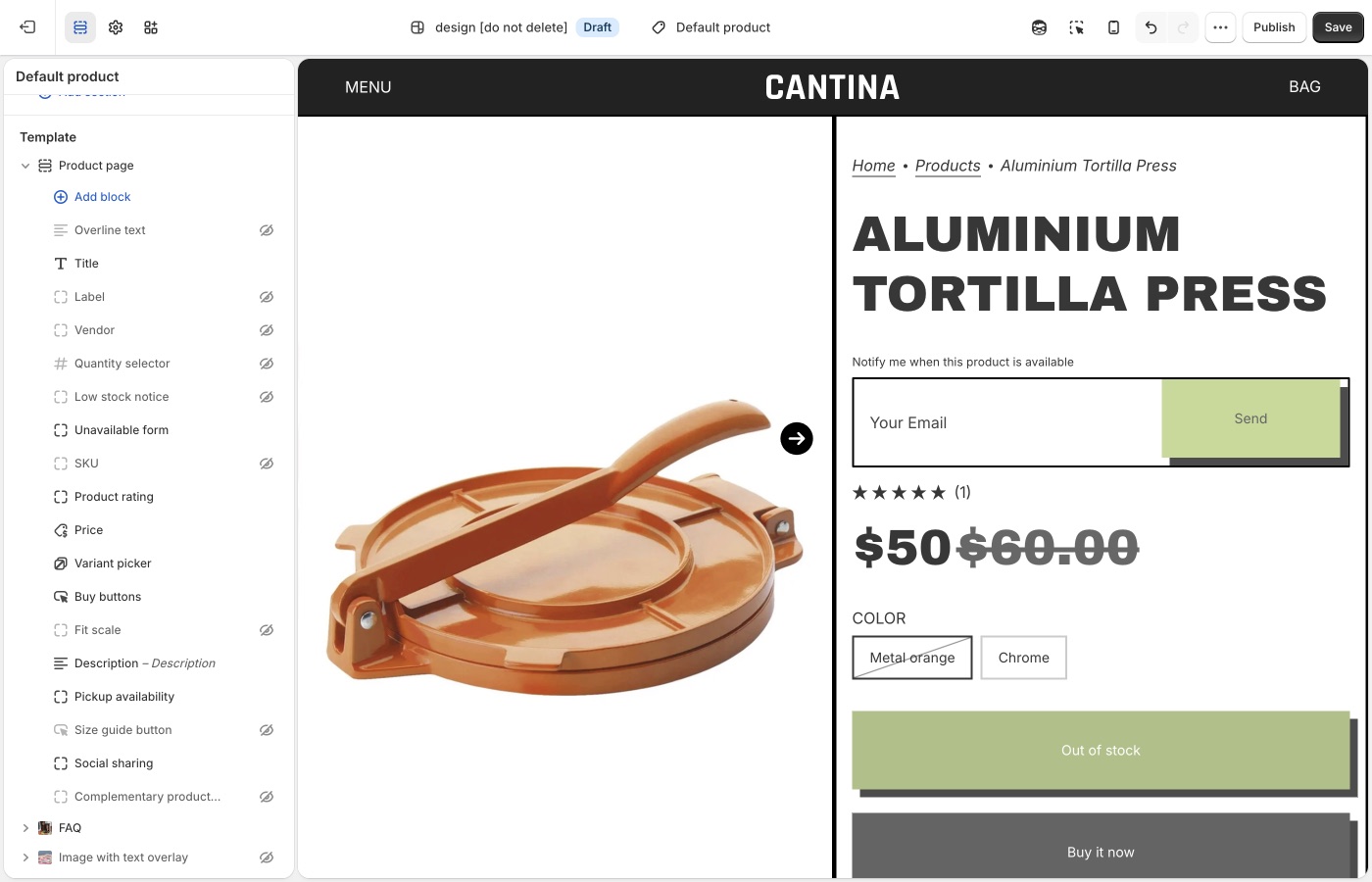
Form copy is default theme content. Search notify or sold out.
Sold-out variants only
The selected variant must be sold out, or the form stays hidden.
Products → the product → the variant → Inventory:
- Inventory tracked is on. If tracking is off, Shopify treats the item as available.
- Available is 0 or less at locations that fulfill online orders. Stock sitting only at a location that does not fulfill the online store still shows as sold out on the storefront.
- Sell when out of stock is Off. That control only appears when tracking is on.
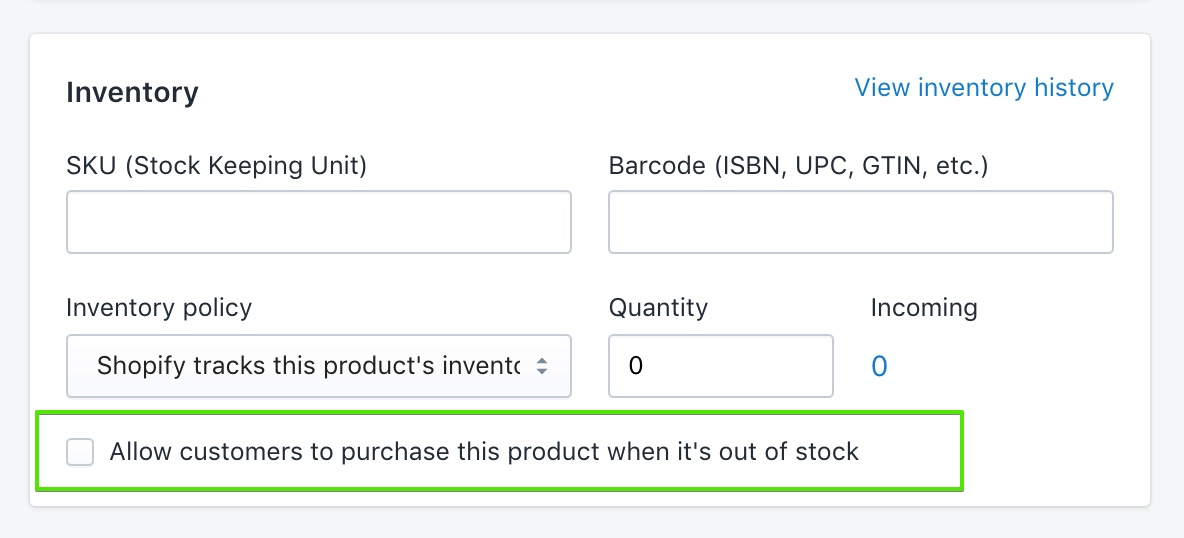
See Shopify’s selling out of stock products guide.
Where the email goes
Shopify delivers contact-form submissions to Settings → Notifications → Sender email. That is not Settings → General (Store email is for Shopify contacting you, and for exports).
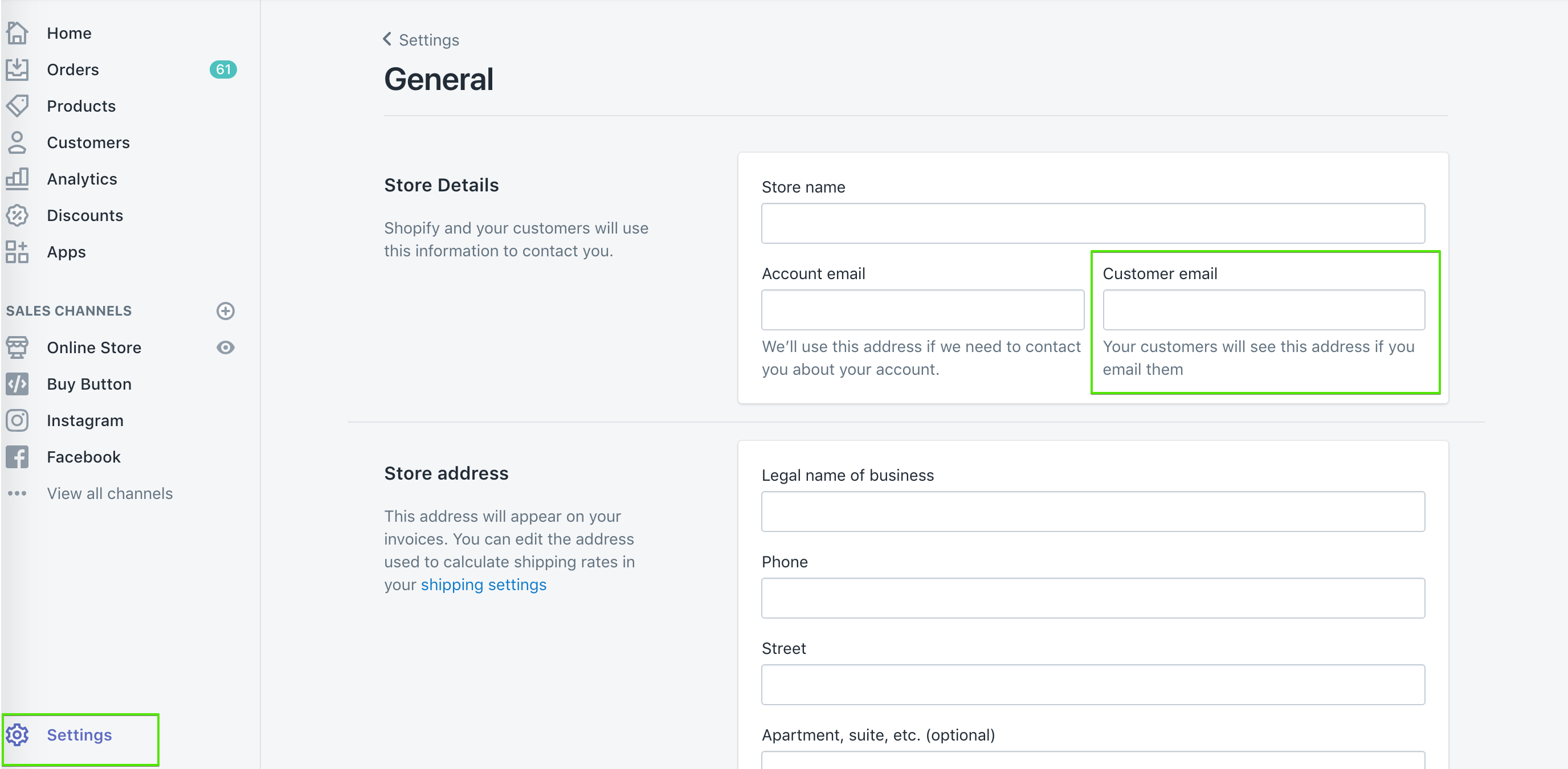
If you use a custom domain, authenticate it on the Notifications page or Shopify may rewrite the address. Submissions flagged by Shopify’s spam filter still arrive, with [SPAM] in the subject.
See Shopify’s setting up your email and contact form guides.
Automatic “back in stock” mail
The theme cannot do this. Shopify does not send restock emails to customers on its own; their inventory docs point to a back in stock app. Most of those apps add their own button, remove the theme’s Unavailable form block so they don’t stack.
Shopify Flow’s Product variant back in stock trigger can notify you (Slack, staff email) or republish a product. It does not mail customers who submitted the theme form.
If you handle requests by hand:
- Tag or folder the incoming mail by product or variant.
- Keep a spreadsheet of email + variant, then send when you restock.
- Add addresses to a list in your email app and send that list when the item is back.
Want to use an app? Using apps with themes.
Ask Sidekick 
Open Sidekick from the icon in your Shopify admin, then ask it to draft the "back in stock" notification email in your brand's tone.
"Write a short, friendly restock email with a sense of urgency."
Refine it before it goes live, faster than starting from Shopify's default template copy.
Troubleshooting
- Form never shows: the variant is still available, Inventory tracked is off, Sell when out of stock is on, or the Unavailable form block is missing or hidden on Product page.
- Form shows but you still have stock: the units may be at a location that does not fulfill online orders. Add stock to a location that does.
- You expected an automatic email when stock returned: the theme cannot do that. Use an inventory app and remove the theme block.
- You didn’t get the request: check Settings → Notifications → Sender email, spam (including
[SPAM]in the subject), and domain authentication. The message goes to you, not to the shopper. - Form copy is wrong: default theme content.
- Two notify buttons: an app embed plus the theme form. Turn one off.