Changing default theme text in Maker
If you cannot edit the wording in a section setting (a heading or button label you typed yourself), it is usually default theme content: “Add to cart”, “Sold out”, form placeholders, cart empty-state messages, and other built-in storefront wording.
Online Store → Themes → … → Edit default theme content (Languages).
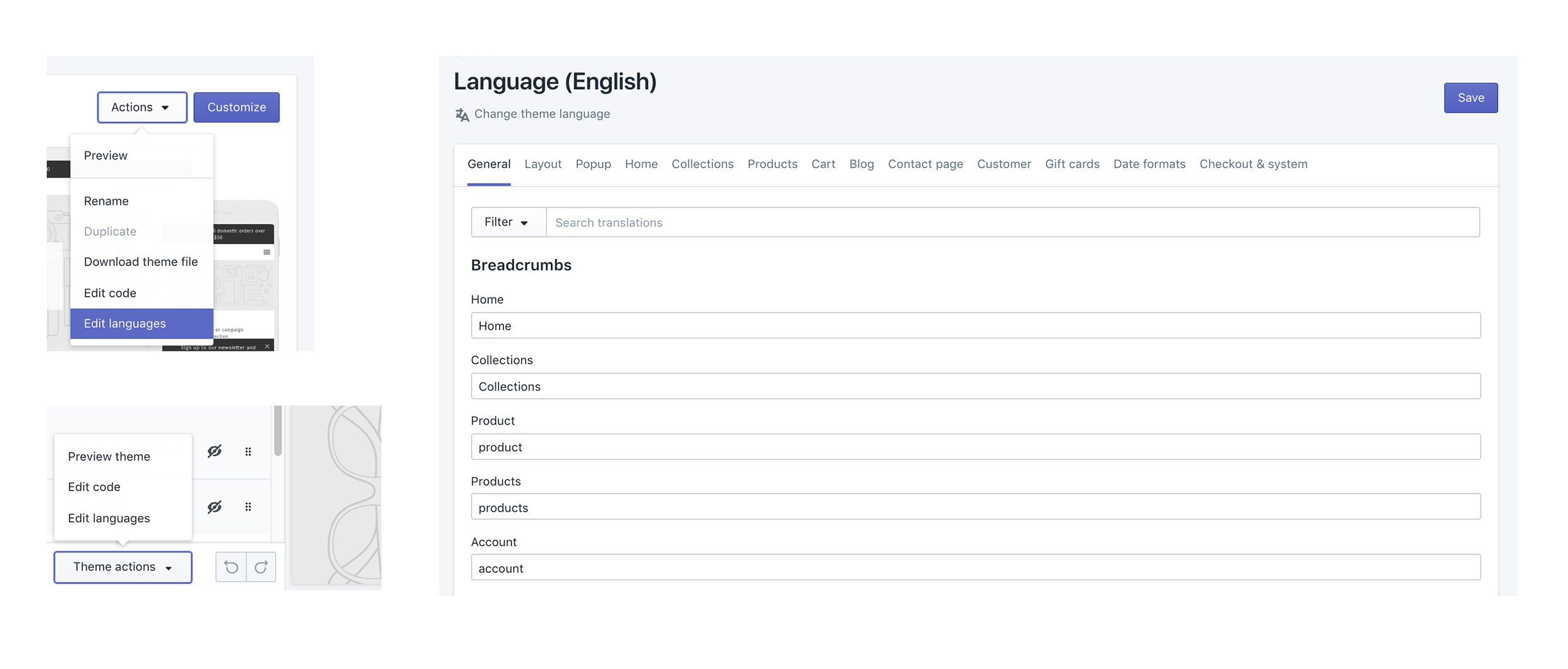
Product titles (Products), page bodies, blog bodies (Content → Blog posts), menu labels (Content → Menus), and checkout wording are edited elsewhere, not here.
Info
Visit Shopify's help centre for an extensive guide on changing the wording in themes.
Which editor?
Edit theme (a section)
For headings, overlay text, newsletter headlines, and other copy you added to a section: open that section in Edit theme.
Edit default theme content
For built-in storefront wording, “Add to cart”, “Sold out”, “Size chart”, form errors: Edit theme → … → Edit default theme content.
Shopify admin
- Product titles, descriptions, variant names: Products
- Menu item names: Content → Menus
- Blog post bodies: Content → Blog posts
- A whole About page: Online Store → Pages
Checkout
“Pay now” and other checkout labels: Shopify checkout / Markets language, not the theme.
Search in default theme content for the exact words you see on the storefront. If search finds nothing, you are in the wrong place (section setting or admin).
Ask Sidekick 
Open Sidekick from the icon in your Shopify admin, then ask it to rewrite a batch of default theme content in your brand's voice, useful if it reads too formal, too casual, or just generic.
"Make these button and form labels warmer and more casual: [paste your list]."
You still paste the results into Edit default theme content yourself, Sidekick doesn't edit theme content directly.
Troubleshooting
- You changed a section heading and the button still says Add to cart: that button is default theme content, not the section.
- You changed default theme content and a product title didn’t move: product titles are in Products.
- A translation app overwrote your wording: the app owns storefront language. Edit there, or disable the app embed to test.
- Checkout is unchanged: expected. See "Translating your store" in your theme's country, currency, and language selectors guide for storefront vs checkout.