Setting up FAQ or Collapsible Rows sections
To add an FAQ or Collapsible rows section, open the theme editor and click Edit theme. Then select the Sections tab, click Add section, and choose either FAQ or Collapsible rows.
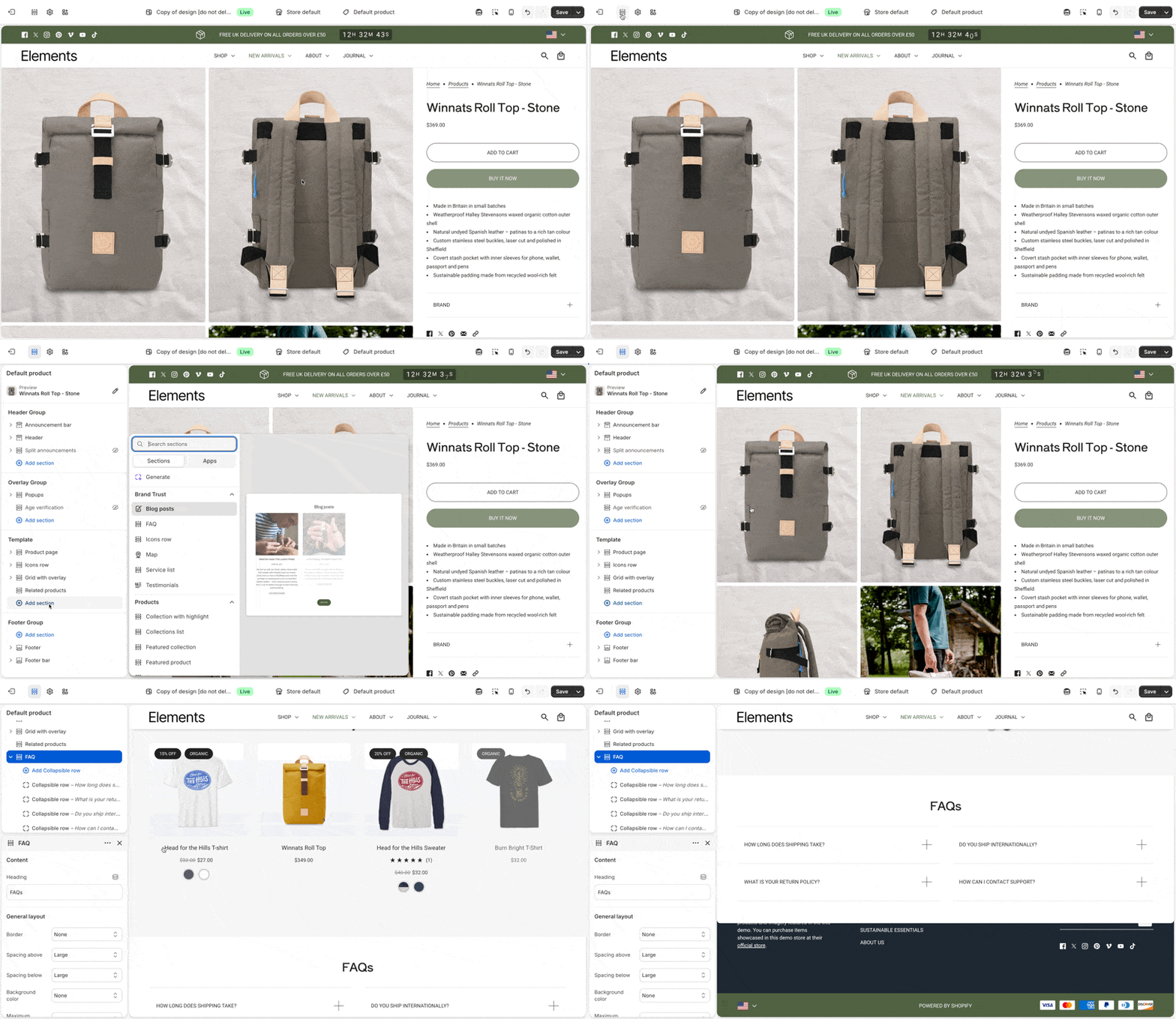
These sections use collapsible rows as blocks. Each row can include a heading and content. Add additional blocks to build a list of questions and answers, or to break down product details and materials.
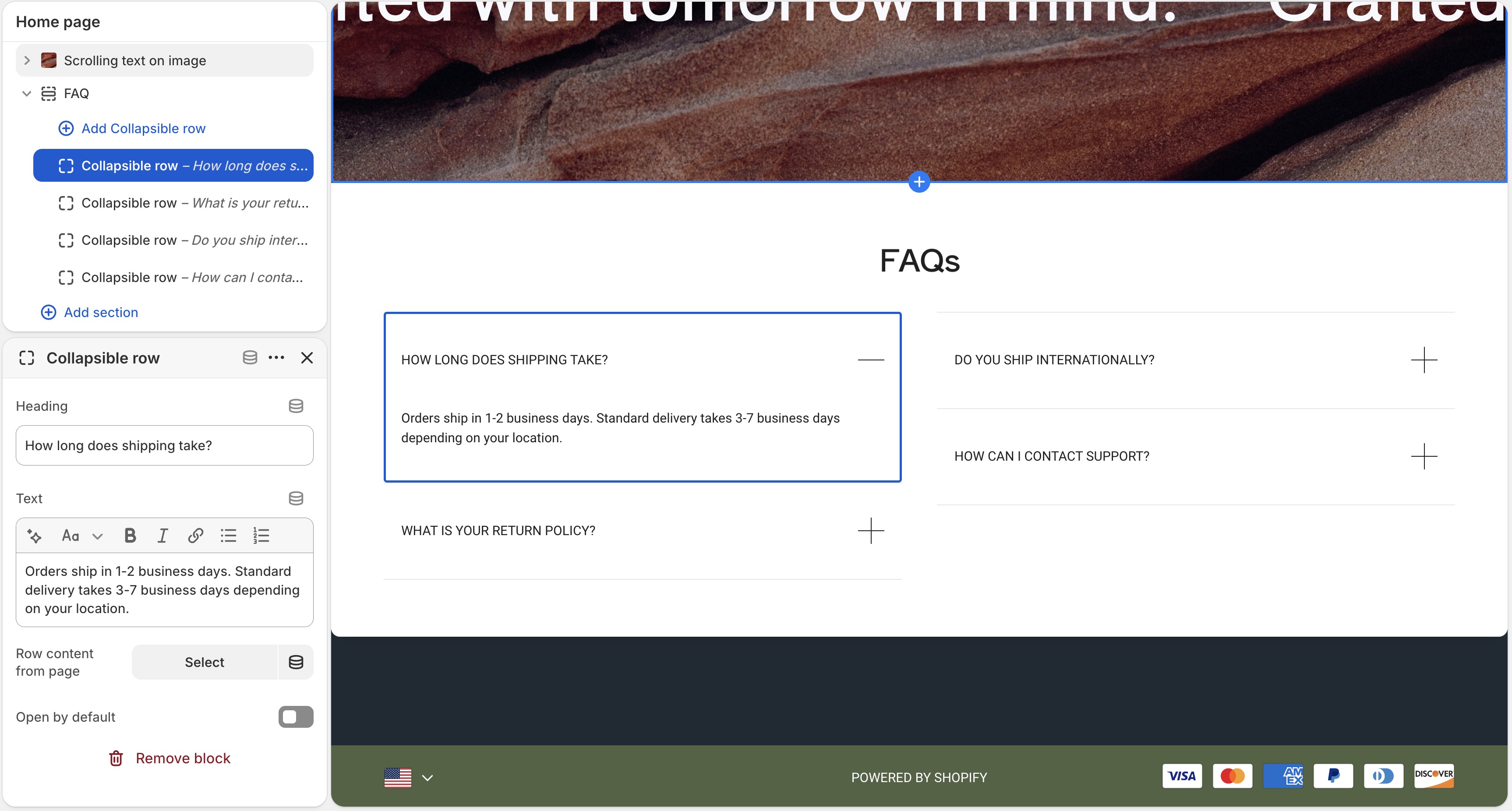
Content types
Each block supports two content types:
- Rich text
- Added through the "Text" setting. Enter text directly in the text area, including links and formatting.
- Page content
- Added through the "Row content from page" setting. Select a page from the dropdown to display its content in the block. Pages can be created or edited in the Shopify admin, not in the theme editor.
Dynamic content with metafields
The first option, rich text, supports dynamic content with metafields. This lets you display content specific to the page you're viewing, or store-level information.
For example, on a product page, each product has a different name, description, and price. You can show that information in an FAQ or Collapsible rows section by connecting a metafield to the block.
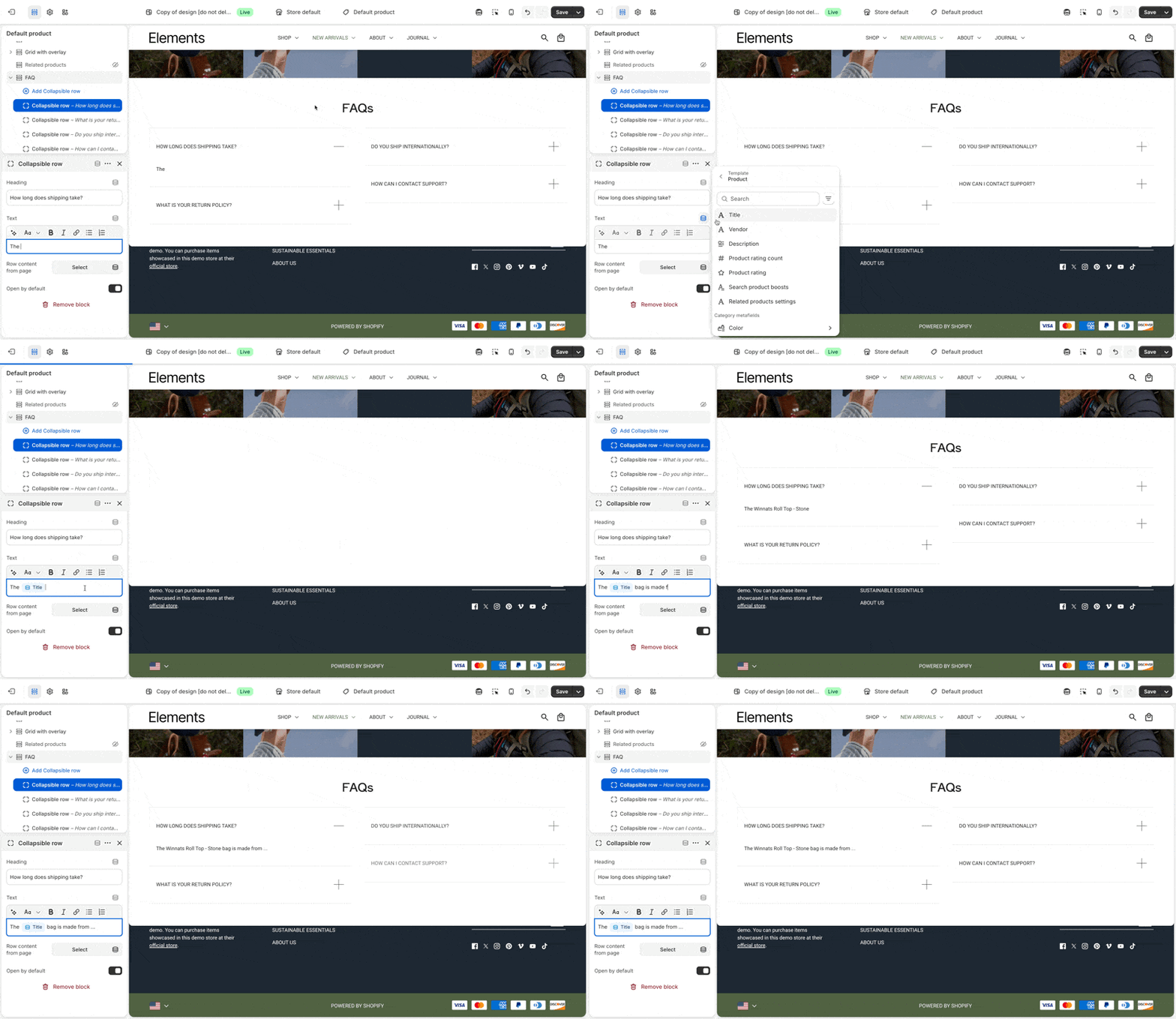
You can add static text around metafield content for context, or display only the dynamic content. To learn more about metafields, visit Shopify's guide.