Move product thumbnails below the main image
In thumbnail view the default layout places thumbnails beside the main image. There is no theme setting to put thumbnails below the main image, so you need custom CSS.
Add the following rules in Theme settings > Custom CSS in the theme editor by copy and pasting the code below.
.product-media--variants--root {
    flex-direction: column;
}

.product-media--thumbs {
    order: 2;
    width: 100%;
    height: var(--thumbnail-width, 80px);
}

.product-media--thumb > * {
    height: 100%;
    width: auto;
}

.product-media--thumbs-wrapper {
    flex-direction: row;
}
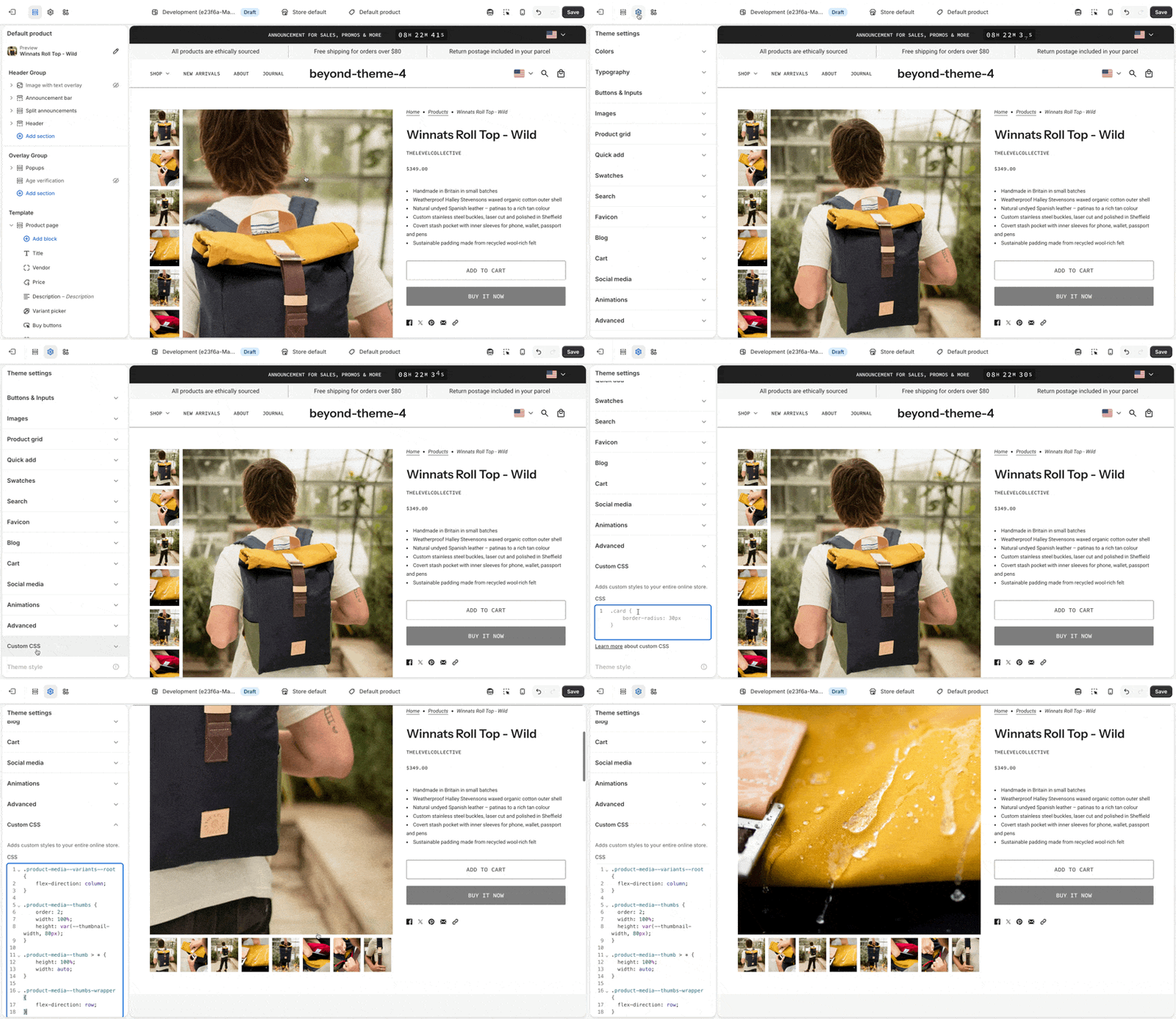
Test on a product with several images after you save. Custom CSS can need updates if you update the theme.